The geovizr package is a (partial) R interface
to the geoviz
JavaScript library. It allows users to create vector-based, interactive,
and zoomable thematic maps.
- The
geovizrpackage is an R wrapper around the geoviz JavaScript library via a htmlwidget. Its development follows the evolution of the library. The parameter names are the same. You can therefore refer to the JavaScriptgeovizdocumentation here. - Since it’s based on
d3.js, the philosophy behind this package is completely different as other R mapping packages. Map parameters use svg attributes rather than the usual R parameters. Thus,strokeWidthis used rather thanlwd,fillrather thancol,strokerather thanborder, etc. -
geovizris not designed to handle voluminous datasets. It is suitable for light, generalized basemaps. -
geovizris designed to work with geographic data in wgs84 (not projected). Geometries are then projected on the fly using thecreate()function. Unlike other R packages based onsf, the projections used come from thed3.jsecosystem (d3-geo,d3-geo-projection&d3-geo-polygon). - Maps generated by
geovizrare zoomable. Two types of zoom are available. The classic type (pan and zoom) and the “versor” type for creating interactive globes. - Maps created with
geovizrare interactive. It is therefore possible to create tooltips to access information contained in geographic objects. - Many different types of maps are available. The types can be combined with each other and are highly customizable.
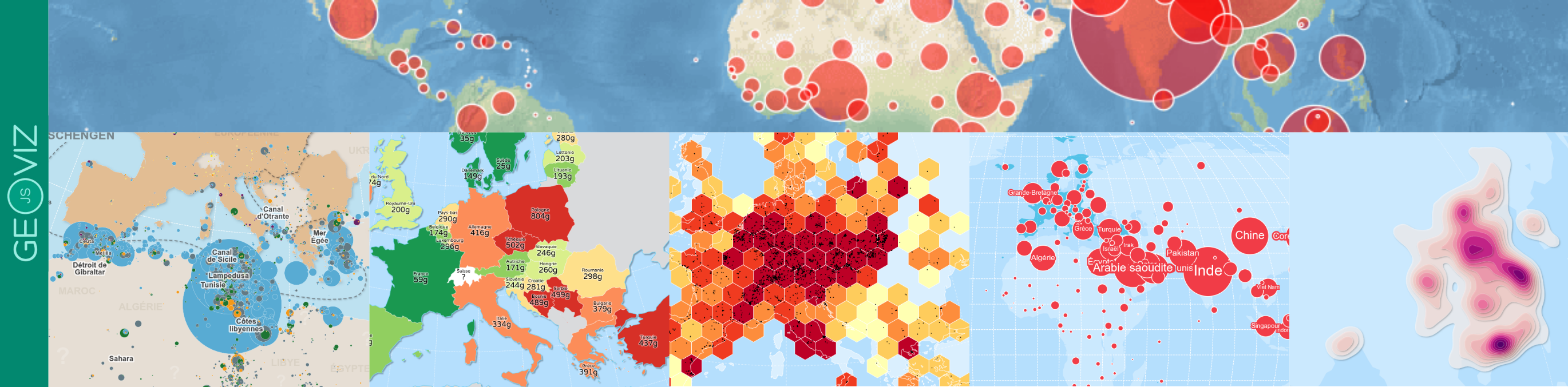
Here an example of a map designed with the package:
Installation
You can install the released version of geovizr from
CRAN with:
install.packages("geovizr")Alternatively, you can install the development version of
geovizr from r-universe with:
install.packages("geovizr", repos = c("https://riatelab.r-universe.dev", "https://cloud.r-project.org"))then
Syntax
There are several steps involved in creating a map with
geovizr.
1 - First, create the map container using the
create() function. This is where you
define the projection, margins, background color, etc. - in short, all
the general parameters of the map.
2 The next step is to progressively add layers. A
set of dedicated functions is available for this purpose. For instance,
viz_path() adds a spatial dataframe,
viz_graticule() draws latitude and longitude lines,
viz_header() inserts a title, and viz_footer()
adds a source note. All available functions are documented in the
Reference section.
3 - Then, the render()
function displays the map
The various functions can be chained together with a pipe
(|>).
Now, let’s build a world map.
# Data Loading
library(sf)

world <- st_read(
  system.file("gpkg/world.gpkg", package = "geovizr"),
  quiet = TRUE
)

cities <- st_read(
  system.file("gpkg/cities.gpkg", package = "geovizr"),
  quiet = TRUE
)
⚠️ The geometries must be in latitude and longitude coordinates, not projected. Use WGS84.
viz_create() |>
  viz_outline() |>
  viz_graticule() |>
  viz_path(data = world) |>
  viz_path(data = cities) |>
  viz_header(text = "Hello World") |>
  viz_render()
Styling
As you can see, the name of the parameters don’t look like classical
R parameters. Since it’s based on d3.js, map parameters use svg
attributes rather than the usual R parameters. Thus,
strokeWidth is used rather than lwd,
fill rather than col, stroke
rather than border, etc.
All layers have default parameters, but you can modify them. Here is a list of parameters you can use on most layers:
-
fill: Sets the fill color of the element. Can be a fixed color (e.g., “steelblue”) or a function mapping a data variable to colors. -
stroke: Sets the color of the element’s outline (border). Example: “#000” for black. -
strokeWidth: Width of the outline in pixels. Controls how thick the border appears. -
opacity: Overall opacity of the element, from 0 (fully transparent) to 1 (fully opaque). -
fillOpacity: Opacity of the fill only, separate from the stroke. -
strokeOpacity: Opacity of the stroke only. -
strokeDasharray: Defines a dash pattern for the stroke. Example: “5,5” creates dashed lines of 5px segments with 5px gaps. -
strokeLinecap: Defines the shape of the ends of lines. Values: “butt”, “round”, “square”. -
strokeLinejoin: Defines the shape of joints between connected lines. Values: “miter”, “round”, “bevel”.
⚠️ Be careful: pay attention to uppercase and lowercase letters.
Let’s take the previous map and customize it to our liking.
viz_create() |>
  viz_outline(fill = "#38896F", fillOpacity = 0.3) |>
  viz_graticule(stroke = "white", step = 20) |>
  viz_path(
    data = world, fill = "white",
    stroke = "none", fillOpacity = 0.3
  ) |>
  viz_path(
    data = cities, pointRadius = 2,
    stroke = "none", fill = "#38896F"
  ) |>
  viz_header(
    text = "Hello World", fill = "white",
    background_fill = "#38896F"
  ) |>
  viz_render()
Positioning of elements
To position symbols or text on the map, we most often use the
coordinates from a spatial dataframe. However, it is also possible to
place specific elements at precise coordinates. For this, two coordinate
systems coexist in geovizr:
- Geographical coordinates
By specifying coords = "geo", you can position an
element at precise geographic coordinates. The object is then linked to
the map and stays in the correct location according to the zoom
level.
# A simple map
mumbai <- c(72.88, 19.07)
viz_create(zoomable = T) |>
  viz_path(data = world, fill = "#CCC", stroke = "none", fillOpacity = 0.3) |>
  viz_circle(pos = mumbai, coords = "geo", fill = "#38896F", r = 10) |>
viz_render()- SVG coordinates
By specifying coords = "svg", you can also position an
element statically directly on the map plane. This is very useful for
decorative elements, such as the legend or text labels.
⚠️ The origin of the coordinate system used to express coordinates in an SVG document is located at the top left.
# A simple map
viz_create(zoomable = T) |>
  viz_path(data = world, fill = "#CCC", stroke = "none", fillOpacity = 0.3) |>
  viz_circle(pos = c(300, 100), coords = "svg", fill = "#38896F", r = 10) |>
  viz_render()
Symbology
Specialized functions are available for representing statistical data, whether qualitative or quantitative. For example:
-
viz_choro(): for relative quantitative data -
viz_prop(): for absolute quantitative data -
viz_typo(): for qualitative data
These functions take two main parameters: data for the
base map and var for the variable to be mapped. Additional
parameters allow for fine customization of both the map and its
legend.
Here is a simple example of a proportional symbol map
viz_create() |>
  viz_path(datum = world, fill = "#CCC") |>
  viz_prop(data = world, var = "pop", fill = "#38896F") |>
  viz_render()
A choropleth map
viz_create() |>
  viz_choro(data = world, var = "gdppc", fill = "#38896F") |>
  viz_render()
And a typology
viz_create() |>
  viz_typo(data = world, var = "region") |>
  viz_render()
For more details, see the “symbology” page.